

How to Select the Best Marine Chartplotter for Your Boat

Last Updated: October 29, 2026
Quick Summary
To select the best marine chartplotter for your boat, start by defining how you sail, such as coastal cruising, racing, fishing or offshore passages. Then match the screen size to your helm, confirm NMEA 2000 network compatibility, and budget for sonar transducers and installation.
- Write down your primary use case before comparing any chartplotter models.
- Measure your dash space first, since screen size must fit the mounting area.
- Confirm your boat has a powered, terminated NMEA 2000 backbone before buying.
- Match the sonar transducer to your fishing needs, since it affects performance more than the display.
- Choose the ecosystem whose sailing software you will actually use if racing is a priority.
Table of Contents
- Choosing the Right Marine Chartplotter Screen Size
- Checking NMEA 2000 Network Compatibility
- Sonar, Radar and Sailing Features to Consider
- Chartplotter Installation Best Practices
- Setting a Budget and Choosing Your Chartplotter
- Frequently Asked Questions
Choosing the best marine chartplotter for your boat starts with one question: what do you actually do on the water? If you are still deciding between a multifunction display and dedicated sailing instruments, compare both options for your boat and use. A weekend cruiser on a 26-foot sailboat has very different needs from a racer or a commercial operator. Charleston Yachting carries chartplotters from Garmin, B&G, Raymarine and Furuno, and the right pick depends on your hull, your helm and your routine.
Before comparing screens or features, list how you sail. Note whether you cruise coastal waters, race, fish, or make offshore passages. Each use case shifts the priorities. Racers need start-line tools and sailing laylines, while anglers need strong sonar and side-scan. Cruisers often value charting depth and weather information most.
Next, look at what the boat already has. Check whether you have an existing NMEA 2000 backbone, a wind transducer, radar or a sonar transducer. A chartplotter that connects cleanly to those components saves installation time and avoids buying duplicate hardware.
- Coastal cruising: prioritize charting detail, tides and currents, and safety alerts
- Racing: prioritize laylines, start-line tools and race timers
- Fishing: prioritize integrated sonar and side-scan support
- Offshore passages: prioritize reliable GPS, radar integration and weather data
We recommend writing your use case down before you shop. It keeps the decision grounded in how you sail rather than in spec-sheet headlines.
Choosing the Right Marine Chartplotter Screen Size
Screen size is usually the first decision buyers face, and it shapes everything from readability to how much fits on the display at once. Consider the marine chartplotter screen size guide below as a starting point for your helm.
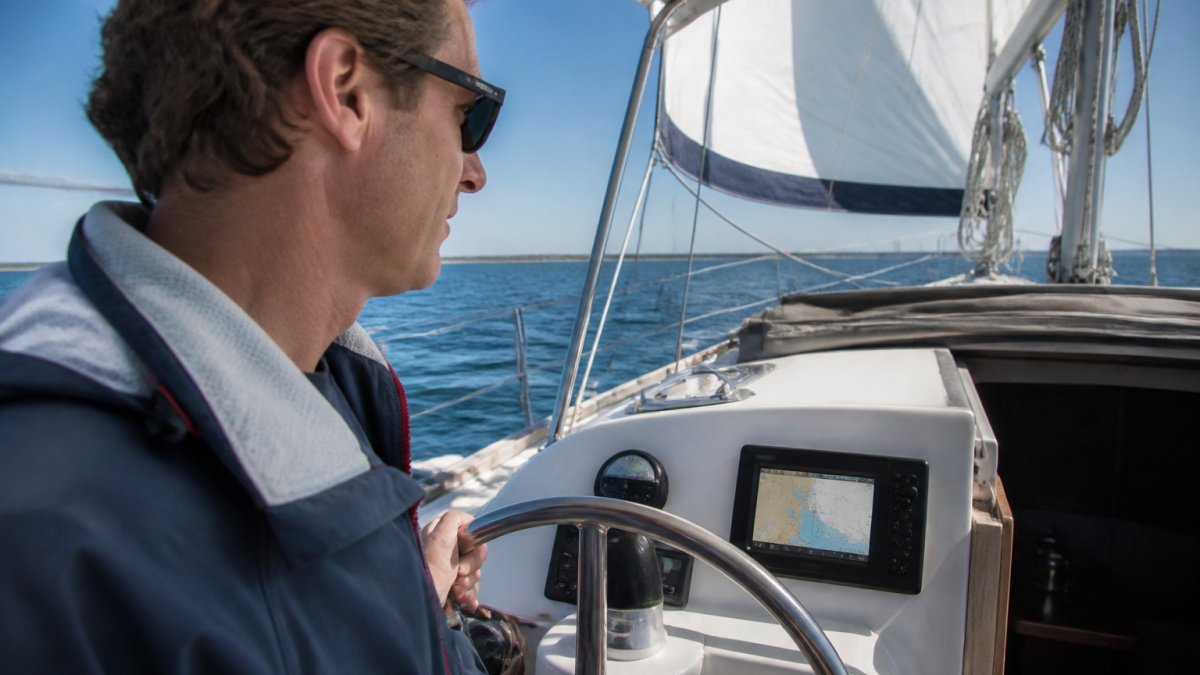
Matching Screen Size to Your Helm
Measure the space in your dash before anything else. Many chartplotters are sized to fit standard cutouts, and a larger unit only works if the mounting area can accommodate it. Smaller 7-inch units suit tight helms and single-person sailing, while 9-inch and 12-inch displays give more room for charts and sonar views at once.
The Garmin GPSMAP 743 Chartplotter GN+ [010-02365-60] sells for $1,199.99. The Raymarine Axiom 2 7" Multifunction Display w/Lighthouse North America Chart [E70720-00-102] is a 7-inch option priced at $1,299.99.
Our rule of thumb: if you cannot read the screen from the wheel without leaning in, the screen is too small for your use.
Resolution, Brightness and Touchscreen Options
Brightness matters more than most buyers expect. The Raymarine Axiom 2 displays reach up to 1,800 nits for all-day visibility.
The screen options covered in this section compare directly on size, price and brightness.
| Model | Screen | Price |
|---|---|---|
| Garmin GPSMAP 743 Chartplotter GN+ | 7-inch class | $1,199.99 |
| Raymarine Axiom 2 7" Multifunction Display | 7-inch | $1,299.99 |
| Raymarine Axiom 2 displays | Up to 1,800 nits | Brightness |
Checking NMEA 2000 Network Compatibility
Network compatibility decides whether your new chartplotter talks to the rest of the boat, and, just as important, whether you can change your mind in five years without ripping out wiring. Most modern marine systems use NMEA 2000 as their backbone, so confirm your existing autopilot, wind instruments and engine interface can connect before you buy.
How the NMEA 2000 Backbone Actually Works
NMEA 2000 is a controller area network (CAN) that runs on a single trunk cable with terminating resistors at each end. Devices tap into the trunk through drop cables, typically limited to about 6 meters each, and the trunk itself has a maximum length near 100 meters. Power is injected once, usually through a dedicated power tee with a fuse or breaker, and every device on the bus shares that supply. If you are building a network from scratch, a dedicated backbone kit with two terminators, a power tee and a handful of drop tees simplifies wiring and avoids the most common installation mistake: daisy-chaining devices instead of using proper drops. Compare backbone kits for your network.
A practical check before you shop: count the devices already on your bus and confirm the power injection point is fused. Adding a chartplotter, radar and sonar module to an already-loaded backbone can push the bus toward its power limit, which shows up as intermittent dropouts rather than a clean failure.
What the Spec Sheets Do Not Tell You
The Garmin GPSMAP 943 Chartplotter GN+ [010-02366-60] supports NMEA 2000 and NMEA 0183 networking along with the Garmin Marine Network. It is priced at $1,499.99. The Furuno TZT9E Multi-Function Display Fishfinder/Chartplotter [TZT9E], at $2,195.00, is designed for networked systems with radar and sonar expansion.
A Buyer's Compatibility Checklist
- Confirm the boat has a powered, terminated NMEA 2000 backbone, or budget for a backbone kit.
- List every device you want to share data with and check whether it speaks NMEA 2000 or only a proprietary network.
- Decide which brand's fast network you are willing to live with for the next several years, that choice, not the screen, is the hardest one to reverse.
- If you plan to add radar or sonar later, buy a display from the same ecosystem as those accessories.
- Keep the NMEA 0183 wiring in mind for older autopilots and instruments that predate NMEA 2000.
Garmin GPSMAP 943 Chartplotter GN+ [010-02366-60] →
Most practitioners find that the network decision outlasts the display. Buy the ecosystem you can grow into, not just the screen that fits the dash today.
Sonar, Radar and Sailing Features to Consider
Not every chartplotter handles sonar and radar the same way, and the accessory decisions often cost more than the display itself. If you want a plain explanation of how chartplotters work before choosing features, read what a marine chartplotter is and how it works. Some units include a built-in fish finder, while others need a separate transducer and sonar module. The B&G Zeus S 9 Chartplotter/Fishfinder without transducer [000-15220-001] is priced at $1,529.99. Transducers are sold separately, so budget for them if you need sonar.
Sonar: Match the Transducer to the Fishing
Sonar performance is set by the transducer, not the screen. A few distinctions matter:
- CHIRP versus traditional: CHIRP sweeps a range of frequencies and produces cleaner target separation; traditional single-frequency sonar is cheaper but noisier.
- Cone angle: a narrow beam (around 10-20 degrees) holds bottom at speed and in deep water; a wide beam (around 45-60 degrees) covers more ground in shallow water.
- Transom, thru-hull or in-hull: transom mounts are easiest to install and work well on planing hulls; thru-hull mounts read cleanly at speed but require a haul-out; in-hull mounts avoid holes but lose signal through thick cored hulls.
- Side-scan and down-scan: these need a compatible transducer and a display that supports the imaging mode, check both before buying.
A common pattern is to spend as much on the transducer as on the head unit. A premium display fed by a budget transducer will underperform a mid-range display with a properly matched transducer.
Radar: Solid-State versus Magnetron
Radar is where the ecosystem decision becomes expensive.
Sailing Features: What Racers Actually Use
For racers, sailing features like wind history overlays and layline displays often matter more than raw screen size. Laylines show the optimal tacking angles to a mark; start-line tools show time and distance to the line; race timers count down to the gun. These features live inside the brand's sailing software, B&G and Raymarine lean heavily into sailing, while Garmin and Furuno emphasize fishing and offshore navigation. If racing is your priority, choose the ecosystem whose sailing software you will actually use.
Mobile App Integration and Firmware Updates
For anglers, side-scan imaging and high-power sonar are the priorities. For cruisers, radar integration and weather data matter more. Match the accessories to the use case first, then confirm the display supports them.
Chartplotter Installation Best Practices
Installation quality affects reliability more than most buyers realize. Route NMEA 2000 cabling away from engine heat and sharp edges, and use the correct power cable for your voltage. Mount the unit where glare is manageable and the screen angle suits the helm.
Ground the unit properly and fuse the power line as the manufacturer specifies.
- Plan cable routes before drilling
- Use the included mounting kit and gasket for a watertight seal
- Keep antenna and transducer cables clear of the mounting hardware
- Test the network after each new device is added
If the job feels beyond your comfort level, a qualified marine technician can confirm the wiring and calibration.
Setting a Budget and Choosing Your Chartplotter
Budget is where your use case and your hardware plan meet. The B&G Zeus S 7 Chartplotter/Fishfinder w/o Transducer [000-15216-001] is priced at $1,019.99. The Garmin GPSMAP 1623 Chartplotter [010-02919-00] is priced at $4,899.99.
Add the cost of transducers, network components and installation to the sticker price. A lower-priced unit that fits your network and your use is worth more than a premium display that needs additional hardware to work.
Our advice: pick the screen size your helm can accommodate, confirm NMEA 2000 compatibility, and set aside money for sonar and installation. Browse the full Charleston Yachting selection of marine chartplotters and electronics.
Frequently Asked Questions
What size chartplotter do I need for my boat?
For most recreational boats, a 7-inch display works for small center consoles and sailboats where one person steers and reads the screen at arm's length. A 9-inch or 12-inch unit suits larger helms, offshore cruising, or setups where you want radar, sonar and charts visible side by side. Measure your dash opening first, then check the unit's bezel and mounting depth, since a larger screen may not fit your existing cutout. Viewing distance matters as much as diagonal size, so test the screen from your normal steering position before buying.
Are touchscreen or button-operated chartplotters better?
Touchscreen units, such as the Garmin GPSMAP 943 and Raymarine Axiom 2, let you pinch to zoom and select waypoints directly, which is quicker on most modern helms. Button or keypad units can be easier to use with wet gloves or in heavy motion, and they avoid problems with condensation or spray on the glass. Many current chartplotters combine both methods. Consider how you will operate the unit most often, and whether the touchscreen works reliably in the wet conditions you expect.
How do I know if a chartplotter is compatible with my existing marine electronics?
Check which networking standards your existing equipment uses. NMEA 2000 is the common backbone for engines, autopilots, wind instruments and depth sensors, and most units in this guide support it. Older boats may still use NMEA 0183, which requires a converter or a unit with a dedicated input. Confirm the chartplotter supports your autopilot, sonar and radar brands, and check whether any features need an optional module, such as a wind transducer, before you order.
What is the difference between a standalone chartplotter and a multifunction display (MFD)?
A standalone chartplotter focuses on navigation and charting, while a multifunction display (MFD) also combines sonar, radar, weather and camera feeds on one screen. Furuno's TZMAP9 is a stand-alone combo unit with built-in fish finder and side-scan, whereas the TZT9E is a fully networkable MFD designed to grow with radar and additional displays. If you plan to expand your system later, a networkable MFD usually gives you more room to add components without replacing the head unit.
