

Why Post-Purchase Marine Electronics Support Matters

Table of Contents
- Why Post-Purchase Marine Electronics Technical Support Is Critical
- 6 Ways Marine Electronics Support Protects Your Investment
- Marine Electronics Troubleshooting: What Effective Support Looks Like
- Marine Electronics Installation Support and Compatibility Guidance
- Marine Electronics Warranty and Support: What to Expect
- How to Evaluate a Marine Electronics Support Provider
- Conclusion: Support Is Part of the Product
- Frequently Asked Questions
Last Updated: October 12, 2026
Why Post-Purchase Marine Electronics Technical Support Is Critical
Marine electronics support is the technical help you get after buying a chartplotter, autopilot, radar, or NMEA network device: setup, wiring, firmware, and troubleshooting.
A chartplotter that won't power on is annoying at the dock; 20 miles offshore, it's a safety problem.
The core argument is simple: support is part of the product, not an afterthought you hope you never use.
6 Ways Marine Electronics Support Protects Your Investment
Good marine electronics support does more than answer phones, it keeps your boat running, your crew safe, and your gear working for years.
- Safety on the water. Working navigation and communication gear is not optional offshore.
- Faster fixes. Direct access to technicians cuts downtime when something fails.
- Correct installation. Expert guidance prevents wiring and network errors.
- Compatibility checks. Support confirms new gear talks to your existing system.
- Warranty clarity. You know what's covered and how to file a claim.
- Longer equipment life. Firmware updates and setup advice extend how long gear lasts.
Each one compounds. Skip support, and a small wiring mistake can turn into a season-ending repair.
Safety and Operational Consequences of Equipment Failure
A dead chartplotter, radar, or AIS unit changes how you operate: you slow down, stay closer to shore, and rely on backups that may not exist.
The U.S. Coast Guard boating safety resources consistently stress navigation and communication readiness as core safety practices. When electronics fail and support is slow, you're the one absorbing the risk.
That's why response time matters: a provider who walks you through a fix at the dock or over the phone at anchor keeps a bad day from becoming a dangerous one.
Customer Confidence and Satisfaction After the Sale
Confidence after a purchase comes down to one question: if this breaks, who helps me? Buyers who know support exists spend less time worrying and more time on the water.
That confidence drives loyalty: a boater who gets real help remembers it at the next upgrade, comes back, and tells other owners.
Marine Electronics Troubleshooting: What Effective Support Looks Like
Effective marine electronics troubleshooting starts with a clear process, not guesswork. Good support walks through power, wiring, network, and configuration in order, isolating the fault before recommending parts.
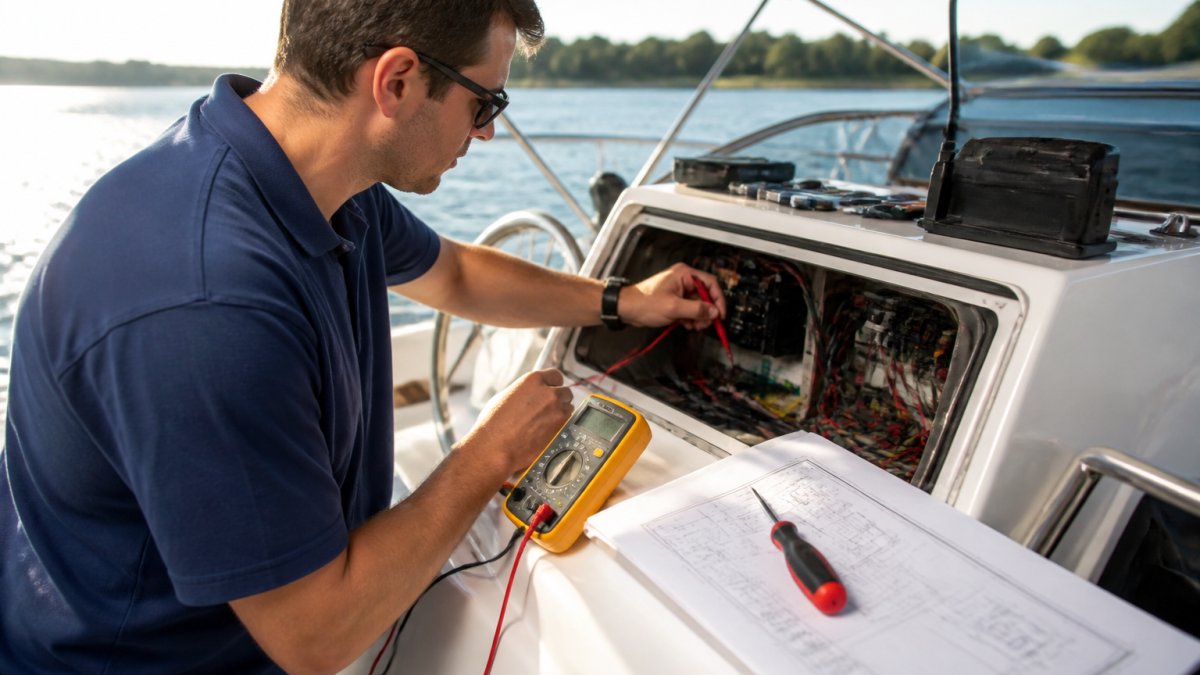
A Diagnostic Order That Actually Works
A structured session moves from the simplest, cheapest check to the most invasive. Skipping ahead is how owners buy a new display to fix a bad ground.
- Power check. Confirm voltage at the device and at the breaker. On a 12V system, a reading below roughly 12.0V at the unit under load points to a supply problem, not a device problem. Corroded terminals and undersized wire are common culprits.
- Wiring review. Look for loose connectors, corrosion, chafe, and bad grounds. A shared ground between a chartplotter and a high-draw pump can introduce noise that looks like a device fault.
- Network scan. Verify devices are talking on the NMEA 2000 backbone. Check that the backbone is properly terminated with 120-ohm resistors at both ends, a missing or doubled terminator is one of the most common causes of intermittent data.
- Firmware check. Confirm the unit runs current software. Many "missing data" complaints are resolved by a firmware update that adds PGN support.
- Configuration review. Check settings and data sources. A chartplotter set to the wrong data source will display stale or blank values even when the network is healthy.
- Isolation test. Disconnect devices one at a time to find the fault. This is the step that separates a real diagnosis from a guess.
A common mistake is replacing hardware before testing the network. Most "dead" units are actually wiring, power, or termination problems. A good technician rules those out first.
Marine-Specific Failure Modes to Expect
- Corrosion at connectors. Salt air and moisture attack pins and terminals. Dielectric grease and proper heat-shrink connectors slow this down.
- Voltage drop under load. A device that powers on at the dock may brown out when the autopilot or windlass draws current. Measuring voltage while the load is active reveals this.
- Ground loops and noise. Multiple ground paths can inject interference into sonar, radar, and audio. A single, clean ground point reduces it.
For boats mixing old and new gear, a gateway like the Actisense 0183 to N2K Gateway lets legacy NMEA 0183 instruments join a modern NMEA 2000 network. That single device solves a lot of "why won't this talk to that" calls.

Troubleshooting When You're Not at the Dock
Support access changes once you leave the slip. Connectivity is limited, time is short, and the fix may need to happen with what's aboard. Effective remote support adapts:
- Phone or satellite link. A technician who can talk you through a power or termination check over a voice call is worth more than a portal you can't reach offshore.
- Photo and video intake. Sending a picture of a connector, a screen, or a wiring run lets support see what you see.
- Triage over repair. Offshore, the goal is often to restore enough function to get home safely, not to complete a permanent fix. Support should say so plainly.
Marine Electronics Installation Support and Compatibility Guidance
Installation support is where most problems get prevented. Getting wiring, power, and network layout right the first time avoids months of intermittent faults and the frustration of chasing a fault built in on day one.
Marine electronics compatibility is the second half of that equation. NMEA 0183, NMEA 2000, and brand-specific protocols don't always play nice. Support that understands the differences keeps you from buying gear that won't integrate.
What Good Installation Support Covers
A provider who actually supports installation walks through the physical and logical layers, not just the box contents:
Actisense 0183 to N2K Gateway w/PC Interface, USB Connection [NGX-1-USB] →
- Power and grounding. Correct wire gauge for the run length, a dedicated breaker or fuse, and a clean ground point. Undersized wire causes voltage drop that shows up as random reboots.
- Network topology. Where the backbone runs, where terminators go, and how drop cables reach each device. A backbone that's too long or has too many drops causes data errors.
- Cable routing and strain relief. Away from heat, chafe, and bilge water; secured so connectors aren't load-bearing.
Solving Marine Electronics Compatibility Issues Before They Cost You
Compatibility problems are cheaper to solve before you buy than after. The fix is usually a gateway, a cable, or a firmware update, not a new device.
The National Marine Electronics Association maintains the NMEA 2000 and 0183 standards that govern how gear communicates. Knowing which standard your devices use is the first step.
| Problem | Likely Cause | Fix |
|---|---|---|
| New device won't appear on network | Protocol mismatch | Add a gateway |
| Data drops intermittently | Bad connector, ground, or terminator | Re-terminate wiring; check 120-ohm terminators |
| Old instrument won't share data | 0183 vs 2000 | Use a conversion gateway |
| Chartplotter won't read engine data | Missing PGN support | Update firmware |
| Radar won't overlay on chart | Ethernet vs NMEA 2000 mismatch | Confirm network type and settings |
| Autopilot won't follow a route | Heading source or PGN conflict | Reassign data sources |
A device like the Actisense WGX-1 WiFi Gateway bridges NMEA 0183 and NMEA 2000 and streams data over Wi-Fi, so phones, tablets, and laptops can all see the same network data.

Seasonal Commissioning and Remote Support Scenarios
Installation and integration issues don't only appear on new builds, they surface every season at recommissioning, and again when an owner is far from a service center.
- Spring commissioning. After winter layup, connectors corrode, batteries weaken, and firmware falls behind. A pre-launch check of power, network, and firmware catches most of it before the first trip.
- Winterization. Disconnecting and protecting electronics properly prevents the corrosion that causes next season's faults.
- Remote and at-sea support. When a boat is cruising far from a dealer, remote guidance over phone, satellite, or Wi-Fi is often the only option. Support that can talk an owner through a termination check or a firmware update keeps a trip on track.
Marine Electronics Warranty and Support: What to Expect
Marine electronics warranty and support should cover defects, guide repairs, and give you a clear path when something fails. The details matter more than the headline promise. Read the terms before you buy.
What to expect from a strong warranty and support setup:
- Clear coverage window. Know how long protection lasts and what it includes.
- Defined claim process. A simple, documented way to file.
- Repair or replace options. Understand which applies and when.
Warranty support often overlaps with repair and returns. A provider who handles all three smoothly saves you weeks of downtime.
How to Evaluate a Marine Electronics Support Provider
Evaluating a marine electronics support provider comes down to access, speed, and expertise, help that's easy to reach and knows your gear. Test it before you need it.
Use this checklist when you're comparing providers:
- Can you reach a real technician, not just a chatbot?
- What are the support hours, and do they cover weekends?
- Do they know NMEA 0183, NMEA 2000, and major brands?
That last point matters more than most buyers expect: a provider who ships the right cable or gateway the same day solves the problem faster than one who has to order it.
At Charleston Yachting, we stock premium electronics and rigging from brands like Garmin, B&G, and Harken, and we ship same-day.
Conclusion: Support Is Part of the Product
The hardest part of owning marine electronics isn't the purchase. It's the moment something stops working and you're not sure why.
We built Charleston Yachting around that reality, carrying the electronics, rigging, and hardware you need from Garmin, B&G, and Harken, with same-day shipping and expert-curated inventory.
Get started with Charleston Yachting and keep your vessel equipped, supported, and ready for the water. Shop All
Frequently Asked Questions
What should marine electronics technical support include?
Marine electronics support can address questions about product functionality and warranty. It can also provide information on compatibility between NMEA 0183 and NMEA 2000 systems, and general guidance on firmware updates.
Can technical support help with marine electronics compatibility and integration?
Yes. Compatibility is one of the most common reasons boat owners contact support. Older NMEA 0183 instruments often need a gateway to communicate with newer NMEA 2000 networks. Products like the Actisense NGX-1 (starting at $258.79) convert data between both protocols, letting legacy equipment work alongside new chartplotters and displays. Information on product specifications and compatibility can help you determine which gateway fits your setup and whether your devices will share data correctly.
What information should I have ready when contacting marine electronics support?
Have your equipment model numbers, firmware versions, and a description of the problem ready. Note what changed before the issue appeared, such as a new installation, a software update, or a wiring adjustment. If you have a network diagram or photos of your connections, that speeds things up. Mention whether the problem is intermittent or constant, and which devices are affected. The more specific your details, the easier it is to identify whether the issue is a configuration error, a hardware fault, or a compatibility conflict.
How do I troubleshoot marine electronics after installation?
Start by checking power and ground connections, then verify that all network cables are seated properly. Confirm that your devices appear on the network and that firmware is current. If a device is not communicating, isolate it by disconnecting others and testing one at a time. Diagnostic tools like the Actisense WGX-1 ($361.35) let you view network data on a laptop or tablet, which helps identify voltage issues or failed devices. If basic checks do not resolve the problem, contact your retailer for further assistance with your findings.