

Marine Hardware Compatibility and Integration Tips

Table of Contents
- Why Marine Hardware Compatibility Fails (and How to Check Before You Buy)
- Sailboat Deck Hardware Replacement: Measure, Match, and Mount
- Marine Hardware Corrosion Prevention: Galvanic Compatibility and Sealants
- Marine Electronics Integration: Making New Gear Talk to Your Existing System
- Sailboat Rigging Hardware Selection: Load Ratings and Safety Margins
- Saltwater vs. Freshwater: How Your Environment Changes the Spec
- Common Integration Mistakes and How to Avoid Them
- Conclusion
- Frequently Asked Questions
Last Updated: October 17, 2026
Why Marine Hardware Compatibility Fails (and How to Check Before You Buy)
Marine hardware compatibility means confirming a fitting, fastener, or electronic component will physically mount, carry its rated load, and resist corrosion alongside everything already bolted to your boat.
Below are the checks that catch problems before the box arrives, not after the haul-out.
The stakes are simple. An undersized cleat pulls through in a blow. A stainless fastener threaded into aluminum turns to powder within a season.
Sailboat Deck Hardware Replacement: Measure, Match, and Mount
Replacing deck hardware starts with three measurements taken before you order: the mounting hole pattern, the fastener thread, and the available backing space underneath. Get those right and the swap is a bolt-on job. Get any one wrong and you're drilling new holes in a deck you just sealed.
Measurements to Take Before Ordering
Work through this list with calipers and a thread gauge, not a tape measure:
- Hole center-to-center spacing on the existing base. Most fittings follow a standard pattern, but "most" is not "yours."
- Fastener diameter and thread pitch. Metric and imperial threads are not interchangeable, and coarse versus fine pitch changes everything.
- Fastener length and deck thickness. You need enough thread to seat in the backing plate without punching through the headliner.
- Base footprint and fairlead height. A taller cleat changes line lead angles to your winch.
- Backing plate dimensions and what's accessible behind the deck.
Photograph the old fitting next to a ruler before removal. That photo answers half the questions a supplier will ask.
Matching Winches, Lines, and Deck Fittings
A winch is only as good as the line running to it. Match line diameter to the drum's specified range, then confirm the lead angle falls within the manufacturer's stated window.
Harken blocks and winches are the benchmark most sailors compare against, and their spec sheets list working load and line size ranges explicitly. Read them before you buy, not after.
Marine Hardware Corrosion Prevention: Galvanic Compatibility and Sealants
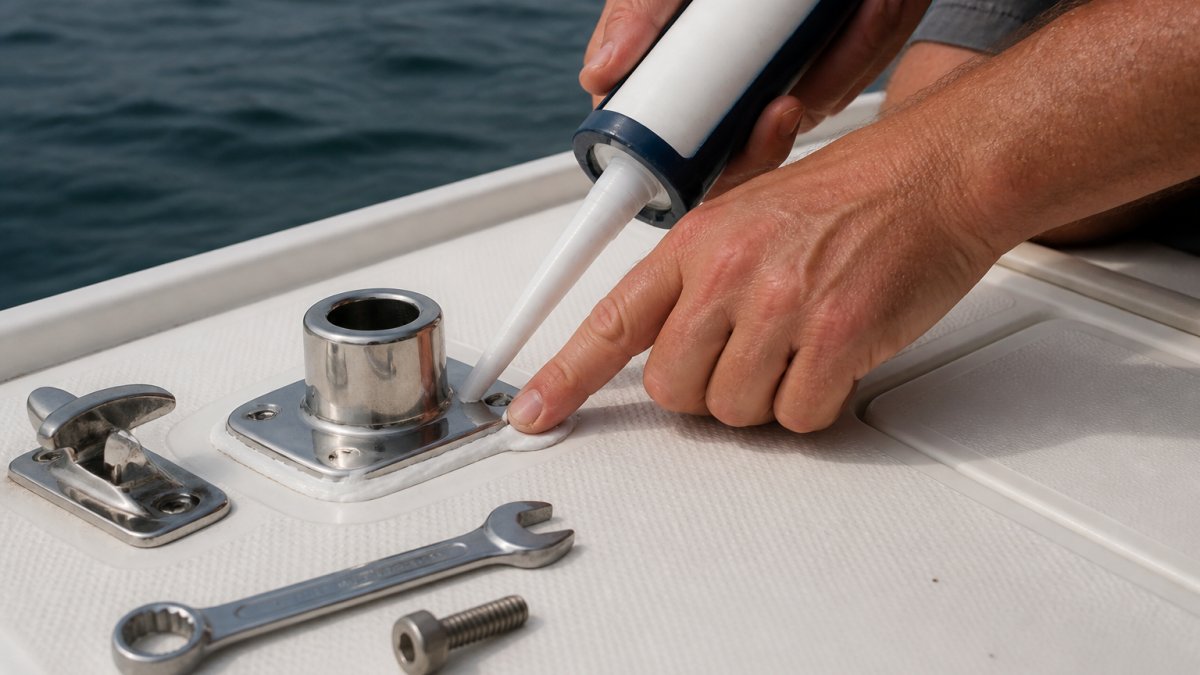
Corrosion prevention comes down to two controls: keep dissimilar metals from touching in the presence of electrolyte, and keep water out of every penetration. Saltwater is the electrolyte. Every fastener is a potential battery terminal.
Stainless Steel Grades and Dissimilar Metals
316 stainless steel contains molybdenum, giving it noticeably better resistance to chloride pitting than 304. For coastal work, 316 is the sensible default. 316L is the low-carbon variant, chosen for welded components because it resists sensitization at the weld zone.
Galvanic corrosion happens when two different metals sit in saltwater and an electrical path connects them; the less noble metal sacrifices itself.
Break the circuit. Use isolating washers and bushings, apply a marine-grade sealant at every penetration to block water intrusion, and inspect annually.
Marine Electronics Integration: Making New Gear Talk to Your Existing System
Electronics integration succeeds when every device speaks the same protocol or passes through a gateway that translates between them. NMEA 2000 is the current backbone standard, NMEA 0183 the legacy serial standard, and Garmin's BlueNet a newer high-speed network that won't talk to older Garmin Marine Network devices without help.
Network Standards and Gateways
This is where most integration projects stall. If you're adding a BlueNet-compatible display to a boat wired with legacy Garmin Marine Network gear, Garmin specifies that the BlueNet 30 gateway documentation is required to bridge the two. An adapter cable alone won't do it. The Garmin BlueNet 30 Gateway handles that bridge, and the RJ45-to-BlueNet adapter cable adapts the physical connector on individual devices.
![Garmin BlueNet 30 Gateway [010-02613-00]](https://cdn.shopify.com/s/files/1/0842/4914/9751/files/101312XL.jpg?v=1775848734)
![Garmin Marine Network Adapter Cable - RJ45 (Female) to BlueNet (Female) [010-12531-11]](https://cdn.shopify.com/s/files/1/0842/4914/9751/files/105708XL.jpg?v=1775849291)
For NMEA 2000 runs, a Bluewater 3-meter drop cable connects a device to the backbone with waterproof, corrosion-resistant connectors built to the NMEA 2000 standard. Where you're mixing NMEA 0183 instruments with a modern NMEA 2000 network, the Actisense PRO NMEA 0183 Multiplexer and NMEA 2000 Gateway converts bidirectionally and streams data over Ethernet.
![Bluewater NMEA 2000 Drop Cable - 3 Meter [2700-03-011]](https://cdn.shopify.com/s/files/1/0842/4914/9751/files/110931XL.jpg?v=1775850025)
Before ordering any of it, sketch your network: every device, its protocol, and where each cable terminates.
| Integration Need | Component | What It Solves |
|---|---|---|
| BlueNet device to legacy Garmin network | BlueNet 30 Gateway | Protocol bridge between network generations |
| Physical connector mismatch | RJ45-to-BlueNet adapter cable | Adapts device connector, gateway still required |
| Adding a device to NMEA 2000 backbone | NMEA 2000 drop cable | Standard-compliant, waterproof connection |
| NMEA 0183 instruments to NMEA 2000 | NMEA 0183 multiplexer/gateway | Bidirectional protocol conversion |
Sailboat Rigging Hardware Selection: Load Ratings and Safety Margins
Rigging hardware selection starts with the working load, not the part that looks about right. Every turnbuckle, toggle, shackle, and block carries two published numbers: a working load limit (WLL) and a breaking load. Confusing them is how people end up with hardware that looks beefy and fails early.
The working load limit is the maximum load the manufacturer intends the component to see in service; the breaking load is where it fails catastrophically.
How to Size to Real Operating Loads
Sizing to the working load means estimating the actual load the component will see, not the load you hope it sees. Rules most riggers apply:
Garmin BlueNet 30 Gateway [010-02613-00] →
- Size each leg to its highest anticipated load, not its average. A jib sheet block sees shock loads when the sail loads up in a gust, and those spikes are what break hardware.
- Never mix components with different ratings in the same leg of the rig. A 3,000 lb shackle connected to a 1,500 lb toggle makes the whole leg a 1,500 lb leg. The weakest link sets the rating.
- Account for load direction. A block rated for a straight pull may be rated lower for a side load. Confirm the manufacturer's stated load direction before mounting.
Pin, Thread, and Fit Checks
Load rating is only half the selection; mechanical fit is the other half. Three checks catch most rigging order mistakes:
- Pin diameter versus hole size. Confirm the clevis pin diameter matches the chainplate and toggle it connects to. A sloppy pin fit wears oval holes fast, and an oval hole no longer carries its rated load.
- Thread direction and pitch. Verify the thread direction on turnbuckles matches the counterpart, right-hand to right-hand, left-hand to left-hand, and confirm thread pitch, since coarse and fine threads are not interchangeable.
- Clevis pin length. Check that the pin is long enough for the cotter pin to seat fully through the hole. A cotter pin that only half engages is a cotter pin that walks out.
The American Boat and Yacht Council publishes standards covering rigging and hardware installation that professional surveyors reference. Those standards are the baseline, not a suggestion.
If your rigging is old enough that you're unsure what to replace, have a rigger inspect it before ordering parts. Guessing at a mast failure is not a cost-saving exercise.
Saltwater vs. Freshwater: How Your Environment Changes the Spec
Saltwater demands a stricter specification than freshwater for the same job.
On a freshwater lake boat, 304 stainless and standard galvanized fasteners often hold up acceptably; move them to coastal saltwater and service life shortens dramatically.
Environment also changes maintenance intervals. Saltwater boats need freshwater rinses after every outing and annual inspection of every fastener and fitting. Freshwater boats can stretch that schedule.
Common Integration Mistakes and How to Avoid Them
Most integration failures show up as one of a handful of symptoms: a leak at a fitting, a loose fastener, an electrical fault, corrosion at a joint, or vibration that loosens hardware over time. The useful skill is working from symptom back to cause. Below is a diagnostic sequence for each failure mode, followed by the habits that prevent them.
Troubleshooting by Symptom
Leaks at a deck penetration. Check the bedding compound, then fastener torque, then the deck core.
Loose fittings. A fitting that loosens repeatedly is usually undersized for its load or mounted without a proper backing plate.
Electrical faults on a network. Work from the backbone outward: confirm the device has power, check the drop cable and connector, then confirm its protocol matches the network or passes through a gateway.
Corrosion at a joint. Look for white powder, seized threads, or pitting between two metals, stainless into aluminum is the classic pairing.
Vibration loosening hardware. Check for missing washers, insufficient thread engagement, and hardware mounted without a compliant backing.
Habits That Prevent Most Failures
- Order by specification, not appearance. A fitting that looks identical can carry a different load rating. Read the spec sheet.
- Draw the network before buying. Without a written map of protocols and terminations, you buy the wrong gateway.
- Treat every stainless-to-aluminum joint as a galvanic pair. Isolation is required every time, not just when it looks risky.
- Replace fasteners, don't reuse them. Corroded fasteners that come out hard will go back in harder.
- Inspect before sealing. Sealant hides water intrusion as easily as it prevents it. Confirm the core is dry first.
Conclusion
The gap between a hardware upgrade that lasts a decade and one that fails in a season is almost always a skipped compatibility check.
Charleston Yachting stocks the rigging, deck hardware, and electronics that make those checks straightforward, from Harken winches and blocks to Garmin and B&G navigation gear, with same-day shipping so a project doesn't stall waiting on a part.
Frequently Asked Questions
How do you check whether marine hardware is compatible with your boat?
Start with measurements: hole spacing, fastener diameter, and mounting surface thickness. Check the load rating against the loads that fitting will actually see, and confirm the material suits your environment. For electronics, verify the network standard and whether a gateway is needed. Before ordering, compare the product specification sheet to your existing part number. If a listing says to check compatibility before purchase, do it: the Garmin Marine Network Adapter Cable, for example, does not replace the need for a BlueNet 30 gateway.
Can stainless steel and aluminum marine hardware be used together?
They can, but not in direct contact without protection. When stainless steel and aluminum touch in saltwater, the aluminum becomes the anode and corrodes faster. Separate them with an insulating barrier, use polymer-coated fasteners, and apply a marine-grade sealant at the joint. Inspect those connections each season, because galvanic corrosion often starts out of sight under a fitting. On a freshwater boat the reaction is slower, but the same separation rules still apply.
How do you integrate marine electronics with existing boat systems?
Map what you already have first: which devices run on NMEA 2000, which run on NMEA 0183, and which use a proprietary network. Then choose a path between them. A NMEA 2000 drop cable connects a device to the backbone, while a gateway bridges older and newer networks. The Garmin BlueNet 30 Gateway, for instance, lets BlueNet-compatible devices network with legacy Garmin marine devices. Label every cable run and test one device at a time so a fault is easy to isolate.
What measurements should you take before buying replacement marine hardware?
Record hole spacing center to center, fastener diameter and thread, base plate footprint, and the thickness of the mounting surface. For rigging, note pin diameter, clevis pin length, and the wire or rope size the fitting accepts. Photograph the old part next to a ruler. Bring those numbers to the product listing and compare them to the specification sheet line by line. A fitting that is 2 mm off will not seat, and drilling new holes weakens the deck.