

How to Ship Marine Electronics Safely

Table of Contents
- Why Proper Packaging Matters for Marine Electronics
- How to Package Electronics for Shipping: Step-by-Step
- Shipping Fragile Electronics: Double-Boxing and Protection
- Shipping Lithium Batteries and Hazardous Materials
- Marine-Specific Considerations: Chartplotters, Fish Finders, and VHF Radios
- Protecting Against Moisture and Corrosion
- Documentation, Insurance, and Claims
- Common Mistakes to Avoid When Shipping Marine Electronics
- Frequently Asked Questions
Last Updated: October 10, 2026
Why Proper Packaging Matters for Marine Electronics
Learning how to ship marine electronics safely isn't just about avoiding a damaged package. It's about protecting expensive, specialized equipment that keeps your vessel running. A chartplotter, fish finder, or VHF radio that arrives damaged can cost thousands to replace and sideline your boat for weeks.
Marine electronics face unique risks during transit. They're sensitive to shock, moisture, and static electricity. Unlike general consumer electronics, marine gear has been exposed to saltwater and salt air. That corrosion can worsen during shipping if moisture seeps in. Proper packaging prevents these problems.
The stakes are higher with marine equipment because replacement isn't always quick. You can't walk into a local store and grab a new Garmin chartplotter on the same day. Downtime costs money. For commercial operators, it costs a lot of money.
At Charleston Yachting, we understand that proper techniques to ship marine electronics safely protect your investment. Whether you're shipping equipment for repairs, upgrades, or a sale, these practices ensure your marine electronics arrive in working condition.
How to Package Electronics for Shipping: Step-by-Step
Proper packaging follows a logical sequence. Each step builds on the previous one to create layers of protection. Skip a step, and you risk damage.
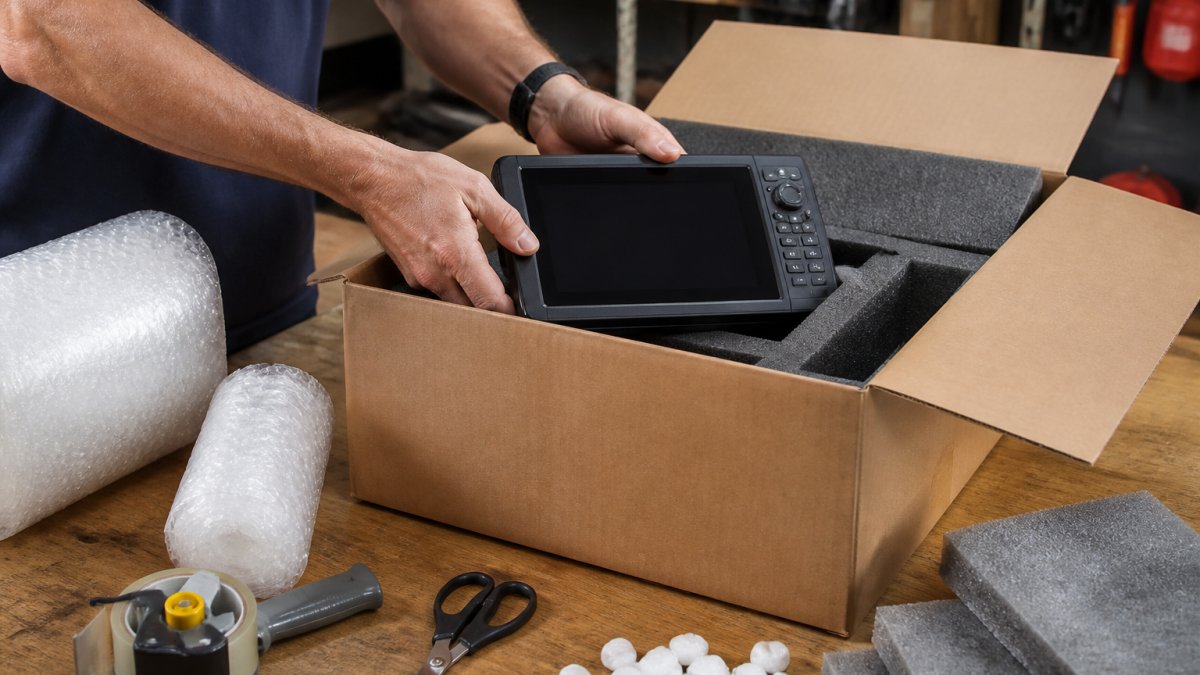
Step 1: Choose a Sturdy Box with Adequate Dimensions
Start with a box that fits your equipment with room to spare. The box itself is your first line of defense against crushing forces during transit.
Use a corrugated cardboard box rated for shipping. Standard boxes work, but double-wall corrugated boxes offer better protection. Avoid soft boxes or padded mailers for marine electronics, they don't provide enough structural support.
Size matters. Your device should not touch the box walls. Aim for at least 2 inches of space on all sides. This space lets you add cushioning materials that absorb shock.
Check the box for damage before packing. Dents, tears, or soft spots compromise its ability to protect your equipment. Use a new box if the existing one shows wear.
Step 2: Prepare the Device and Secure Loose Parts
Before packing, prepare your marine electronics. Remove batteries if possible, as they pose shipping restrictions. Disconnect any cables or accessories.
Gather all loose parts:
- Power cables
- Mounting brackets
- Antenna connectors
- Instruction manuals
- Warranty cards
Place small items in a separate plastic bag. Label it clearly. Tape it to the inside of the main box or pack it alongside the device. This prevents loose parts from shifting and damaging the equipment.
For devices with screens or fragile components, add extra protection. Wrap the screen gently with bubble wrap. Don't apply tape directly to the device, use wrap instead.
Step 3: Apply Anti-Static Protection
Marine electronics contain sensitive circuitry. Static electricity can damage components even if the device powers on after arrival.
Use an anti-static bag as your first layer around the device. These bags have a conductive coating that dissipates static charges. Seal the bag loosely, don't trap air inside.
For extra protection, wrap the anti-static bag with one layer of bubble wrap. This protects against both static and minor impacts.
Avoid using regular plastic bags. They create static buildup rather than preventing it. Anti-static bags are inexpensive and worth the investment.
Step 4: Add Cushioning Materials
Cushioning absorbs shock during handling and transport. Use multiple types for best results.
Effective cushioning materials include:
- Foam sheets or blocks
- Molded foam inserts
- Bubble wrap
- Air pillows
- Packing peanuts
Create a cushion base in the bottom of the box. Add 2-3 inches of foam or bubble wrap. Place your wrapped device on this base.
Surround the device on all sides with cushioning. Fill gaps with air pillows or foam. The device should not move when you gently shake the box.
Top the package with another 2-3 inches of cushioning. This prevents the device from shifting upward during transport.
Avoid using newspaper or crumpled paper. These materials compress over time and lose cushioning value.
Step 5: Use the Double-Box Method for Fragile Gear
For expensive or particularly fragile marine electronics, use the double-box method. This adds an extra layer of protection.
Pack your device in a smaller box using the steps above. Seal this inner box with strong packing tape. Reinforce all seams and edges.
Place this sealed box inside a larger outer box. Add 3-4 inches of cushioning material between the inner and outer boxes on all sides.
The double-box method prevents shock from transferring directly to your equipment.
Shipping Fragile Electronics: Double-Boxing and Protection
Double-boxing is your best defense against rough handling. Shipping facilities process thousands of packages daily. Some packages get dropped, crushed, or stacked under heavy loads.
The double-box method works because it creates shock absorption at two levels. The inner box protects the device. The outer box protects the inner box. Shock has to pass through both layers to reach your equipment.
Use sturdy boxes for both layers. The outer box should be slightly larger than the inner box, at least 2 inches larger on each side. Fill this gap completely with cushioning.
Seal both boxes securely. Use strong packing tape on all seams and edges. Reinforce the bottom and top of the outer box with extra tape. This prevents the box from opening during transit.
Label the outer box clearly. Mark it as "FRAGILE" and "ELECTRONICS" on multiple sides. Use arrows to indicate the correct orientation.
Shipping Lithium Batteries and Hazardous Materials
Marine electronics often contain lithium batteries. These batteries are classified as hazardous materials for shipping purposes.
The International Air Transport Association (IATA) regulates lithium battery shipments. IATA Dangerous Goods Regulations provide detailed rules for battery transport. Ground shipping has different rules than air shipping.
If your device contains a lithium battery, you have two options:
Remove the battery before shipping. This is the safest approach. Pack the battery separately if you must ship it, following hazardous material rules.
Ship the device with the battery installed, but inform your carrier. Some carriers charge extra for hazardous materials. Others require special labeling or packaging.
Never remove the battery and then repackage it without proper hazmat documentation. Battery shipments require specific labels and declarations.
For marine electronics with built-in batteries you cannot remove, contact your carrier before shipping. Ask about their hazmat requirements. They'll tell you what labels and documentation you need.
Marine-Specific Considerations: Chartplotters, Fish Finders, and VHF Radios
Marine electronics face unique challenges because they've been exposed to saltwater and salt air. This corrosion can accelerate during shipping if moisture enters the package.
Chartplotters and fish finders are particularly sensitive. These devices have complex circuitry. A damaged unit is a significant loss.
VHF radios are rugged but still need protection. The antenna connector is vulnerable to corrosion. Moisture inside the radio case can cause short circuits.
When shipping equipment removed from a vessel, dry it completely first. Use a soft cloth to remove salt residue.
Add moisture-absorbing packets inside the anti-static bag. Silica gel packets absorb moisture during transit. They're inexpensive and widely available.
For equipment that's been in saltwater, consider having it professionally inspected before shipping. A technician can identify corrosion that might worsen during transit.
Pack marine electronics in an environment with low humidity. Avoid packing in damp basements or near open windows. Moisture in the air can be trapped inside your package.
Protecting Against Moisture and Corrosion
Moisture is the enemy of marine electronics. Even small amounts of water inside a device can cause corrosion and electrical failures.
Your packaging strategy should prevent moisture from entering the box. Use quality packing tape that seals completely. Don't leave gaps or loose flaps.
Moisture-absorbing materials provide extra protection:
- Silica gel packets
- Desiccant packs
- Rice (not ideal, but works in a pinch)
Place these materials inside the anti-static bag with your device. They'll absorb any moisture that gets inside the bag.
For equipment that's visibly wet or damp, let it dry completely before packing. Use a clean, dry cloth to wipe surfaces. Place the device in a warm, dry room for 24 hours before packing.
Avoid shipping marine electronics during humid seasons if possible. Summer humidity and spring thaws increase moisture in the air. Fall and winter shipping reduces this risk.
Documentation, Insurance, and Claims
Proper documentation protects you if something goes wrong. It creates a record of what you shipped and its condition.
Take photos of your device before packing. Capture clear images of the front, back, and any screens or displays.
Create a packing list. Document what you're shipping, serial numbers, and estimated value.
Declare the full value when you ship. This determines insurance coverage. Underestimating value means you won't be fully compensated if the package is damaged.
Keep your shipping receipt and tracking information. You'll need these if you file a claim.
If the package arrives damaged, document the damage immediately. Take photos of the box, packaging materials, and the device.
File a claim with the carrier within the required timeframe.
For valuable equipment, consider purchasing additional insurance. This costs extra but covers the full replacement cost if damage occurs.
We recommend always insuring marine electronics shipments. The cost of insurance is minimal compared to the cost of replacing expensive equipment.
Common Mistakes to Avoid When Shipping Marine Electronics
Skipping the anti-static protection is a common mistake. People think it's unnecessary for devices with plastic cases.
Using insufficient cushioning is another frequent error. A single layer of bubble wrap isn't enough.
Overpacking the box creates problems too. Cramming too much cushioning material compresses it. Compressed cushioning loses its shock-absorbing ability.
Failing to secure loose parts causes damage. Cables and accessories shift during transport.
Shipping wet equipment is a serious mistake. Moisture accelerates corrosion during transit. Dry equipment completely before packing.
Using old or damaged boxes reduces protection. Weakened boxes collapse under pressure. Always use sturdy, undamaged boxes.
Neglecting to declare hazardous materials creates legal problems. Lithium batteries must be declared. Always inform your carrier about battery contents.
Shipping without insurance is risky. Packages get damaged. Carriers have liability limits. Insurance protects your investment.
Not labeling packages clearly leads to mishandling. Carriers don't know the contents are fragile.
Forgetting to take photos before shipping removes your proof of condition. Photos are essential for insurance claims.
Frequently Asked Questions
What is the best way to ship marine electronics?
The best approach combines multiple protective layers: use a sturdy box sized appropriately for the device, apply anti-static bags for sensitive components, add cushioning materials like foam or bubble wrap on all sides, and consider double-boxing for expensive or fragile equipment. For marine electronics specifically, also protect against moisture with silica gel packs and secure all loose accessories separately. Proper documentation and insurance are essential for high-value items.
How do you protect marine electronics from moisture and static electricity?
Wrap the device in an anti-static bag first to prevent electrostatic discharge damage to circuit boards. Place silica gel desiccant packs in the box to absorb moisture during transit, especially important for equipment removed from vessels exposed to saltwater environments. Ensure the outer box is sealed tightly to prevent water intrusion. For extra protection, consider wrapping the entire packaged unit in a waterproof outer layer before shipping.
Can you ship marine electronics with lithium batteries?
Yes, but lithium batteries are classified as dangerous goods and require compliance with IATA regulations. You must declare them to your carrier. Batteries should be disconnected from devices when possible, packed with terminals taped to prevent short circuits, and kept away from other materials. Contact your shipping carrier for their specific lithium battery shipping requirements before dispatching.
Should you ship marine electronics in their original packaging?
Original packaging is ideal because it is designed to protect the specific device during transport. If original packaging is available and in good condition, use it as the inner layer. However, original packaging alone may not provide enough protection for shipping, so place it inside a larger sturdy box with additional cushioning materials. Never rely solely on original packaging for high-value marine electronics like chartplotters or radar systems.
Shipping marine electronics safely requires attention to detail at every step. The right box, cushioning, and anti-static protection prevent damage. Documentation and insurance protect you if something goes wrong. Charleston Yachting has helped countless customers ship expensive equipment successfully by following these practices. Get started today by gathering quality packaging materials and taking photos of your device before packing. Your marine electronics will arrive ready to perform.